
Productivity
AI Chatbot for Mac:
How AI Chat Apps Can Improve Productivity?
From everyday emails to your next research project, discover how an AI chat app can make your Mac workflow a little easier.

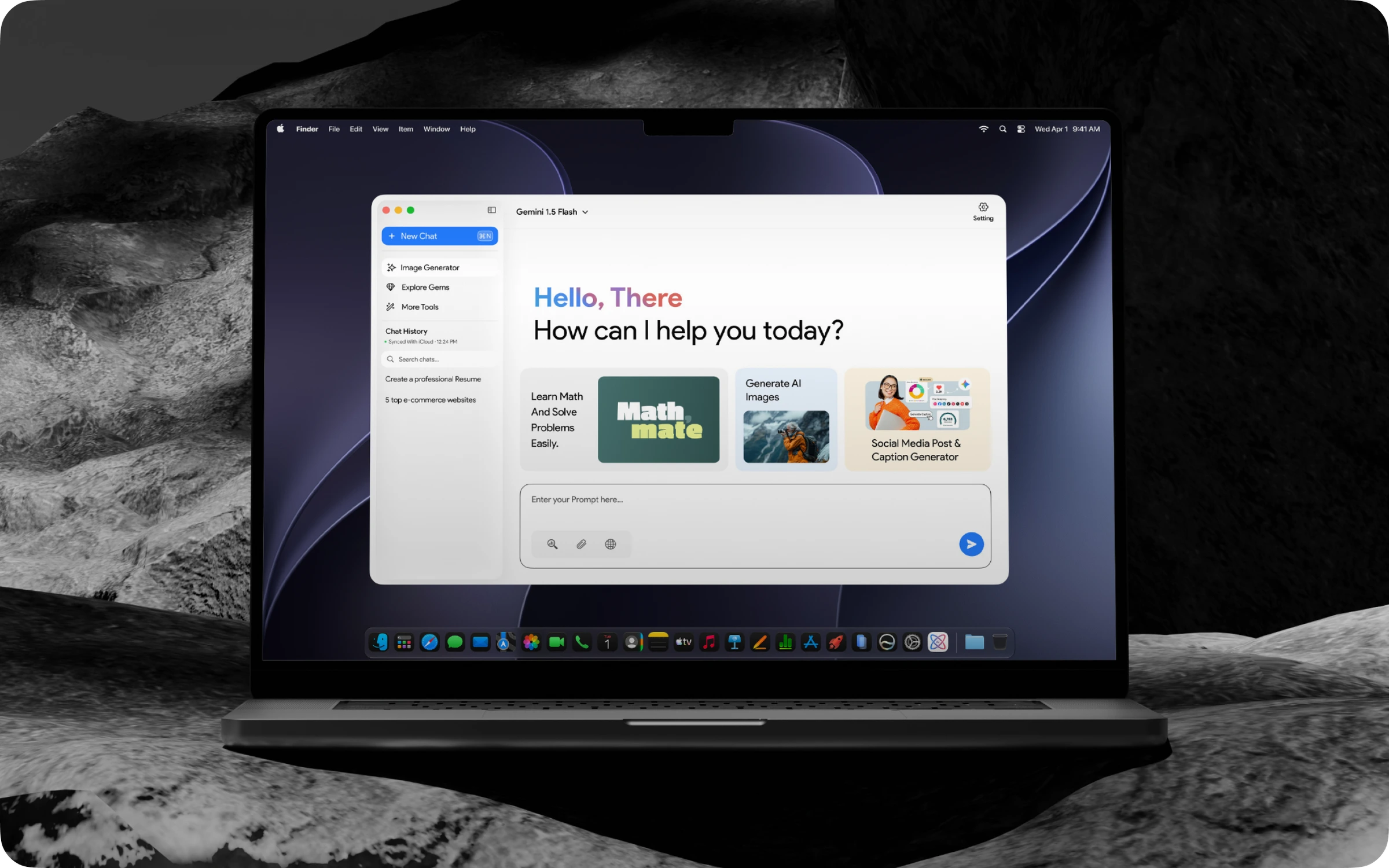
You get most of your work done on your Mac. From writing to reading, planning and communication, each process involves a series of steps and decisions that quietly eat up your time and effort. That is why an AI chatbot for Mac is designed to take the weight off and boost your productivity. This guide explains how an AI chatbot for Mac can help improve task performance for daily activities and improve productivity for Mac users. Let’s get down to it:
What Is an AI Chatbot for Mac?
Like any chatbot, an AI chatbot is an AI-based tool designed specifically for Mac users. It runs through an app or web browser. Users can engage with it as if talking to a representative, typing a message and getting instant replies.
It can be used for answers, drafts, summaries, or step-by-step processes for any task. The intriguing element is that an AI chatbot for Mac understands the context and follows the script/ prompt strictly, providing near-accurate results.
Typical capabilities include:
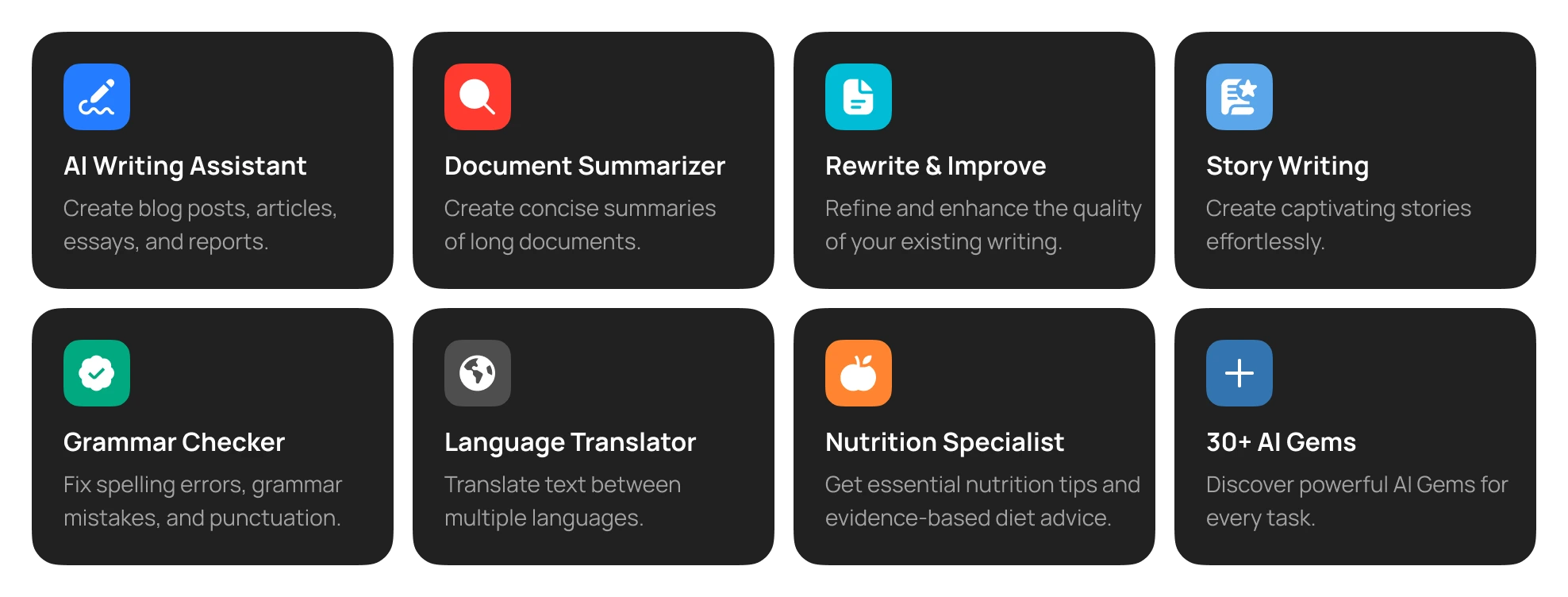
- Answering questions in natural language
- Drafting and editing text
- Summarizing articles, documents, and notes
- Explaining complex topics in simple terms
- Brainstorming ideas and building plans
- Helping with code, formulas, and data
How Can AI Chatbots Help with Daily Tasks?
The benefit of using an AI chatbot is that it can handle everyday tasks so you can boost your productivity. Below are some examples of how it helps:
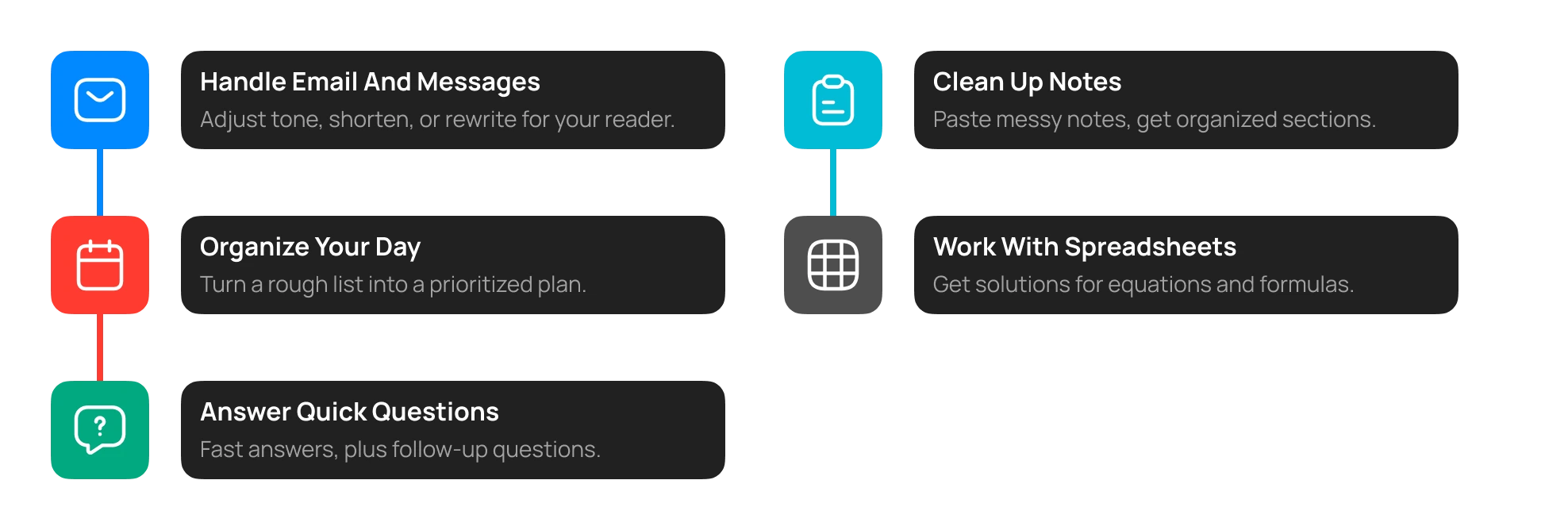
Handling Email and Messages
Drafting messages and emails is one of the repetitive tasks that average Mac users encounter. However, with a chatbot, this process can be automated and improved while reducing redundancy.
From adjusting the tone of the message to shortening an email, making the language easier for the reader to writing according to the audience, it can draft emails and messages effectively. Instead of rewriting every message to meet the demands, you can just ask the chatbot to refine it for you according to the requirements.
Organizing Your Day
A chatbot is quite helpful when it comes to organizing your daily workflow. You can ask it to turn a rough list of tasks into an actionable plan, prioritizing the important ones. Moreover, you can ask it to assess any given project and create a schedule for the week.
With access to your calendar, it can organize the tasks according to your requirements, structuring them for you to get started.
Answering Quick Questions
Perhaps the biggest advantage of having an AI chatbot for Mac is that you can ask it questions and it will provide answers to them rapidly. Irrespective of the topic, you can ask the chatbot for information on any topic, and it will answer with references as well as create follow-up questions based on your learning journey.
Cleaning Up Notes
Instead of manually checking for notes later, let your AI chatbot handle them. From a meeting to a study session, you can simply paste or write your notes in the chat and get organized, section-by-section notes, making your day easier.
Working with Spreadsheets and Data
With an AI chatbot on your Mac, you can simply ask it to help solve the pertaining equation or data. Just share the problem and what you want to calculate, and it will list a number of solutions to use as you see fit for any spreadsheet.
AI Chatbots for Writing and Research
Writing and research are where you can deploy an AI chat app for Mac to maximize productivity.
Writing
Whether you’re writing from scratch or editing an existing draft, you can share it with the chatbot and ask it to refine it according to your requirements. The AI chatbot can help:
- Change the tone, from formal to casual or the other way around
- Tighten wordy paragraphs
- Fix grammar and awkward phrasing
- Rewrite content for a different audience
- Suggest headlines, subject lines, or titles
In addition, it can also be used as an editor. The chatbot can analyze the written text, and with your requirements, it can refine the tone, edit passages for clearer context, and shape the voice, creating a solid version to be used.
Research
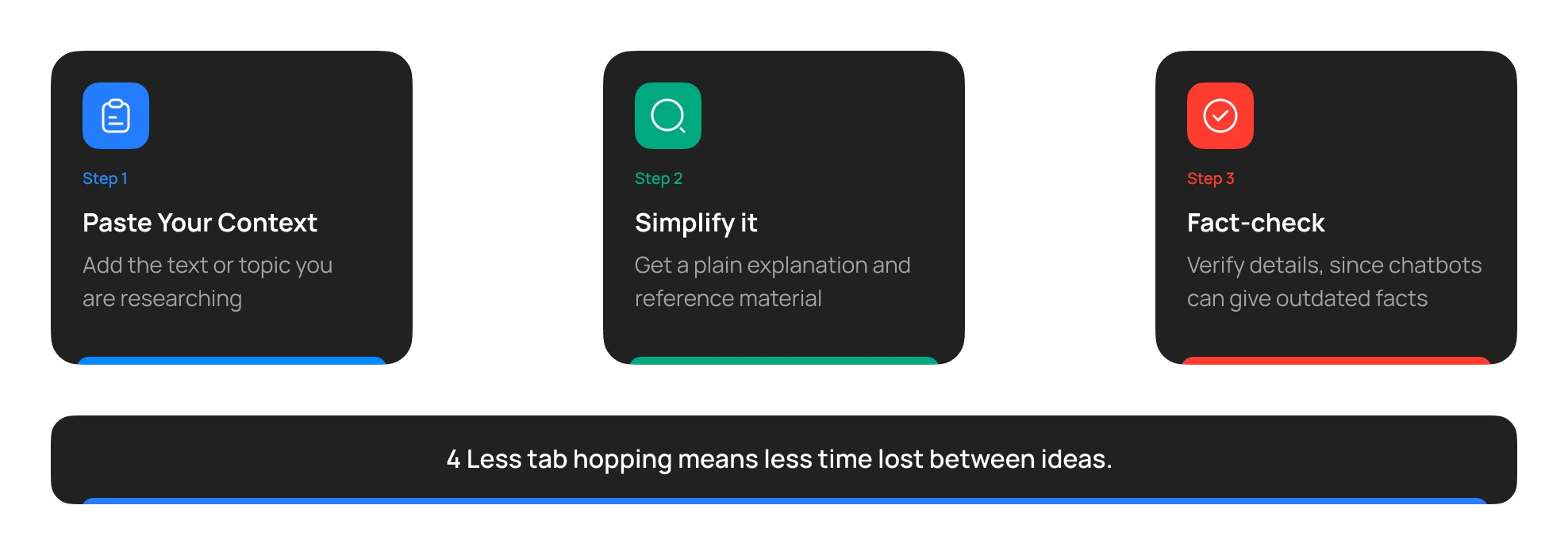
When you’re researching something, you often juggle between tabs, jumping from one concept to another. However, with an AI chatbot open by your side, you can simply paste any context and ask it to simplify or provide reference material for understanding.
However, you must ensure to fact-check the information since chatbots can sometimes provide outdated facts. That being said, you can get required information without jumping from one tab to another, fact-check the information, and complete the research in less time than usual.
AI Chatbots and Productivity
The main question is: how does an AI chatbot help improve the productivity of a Mac user? The answer lies below:
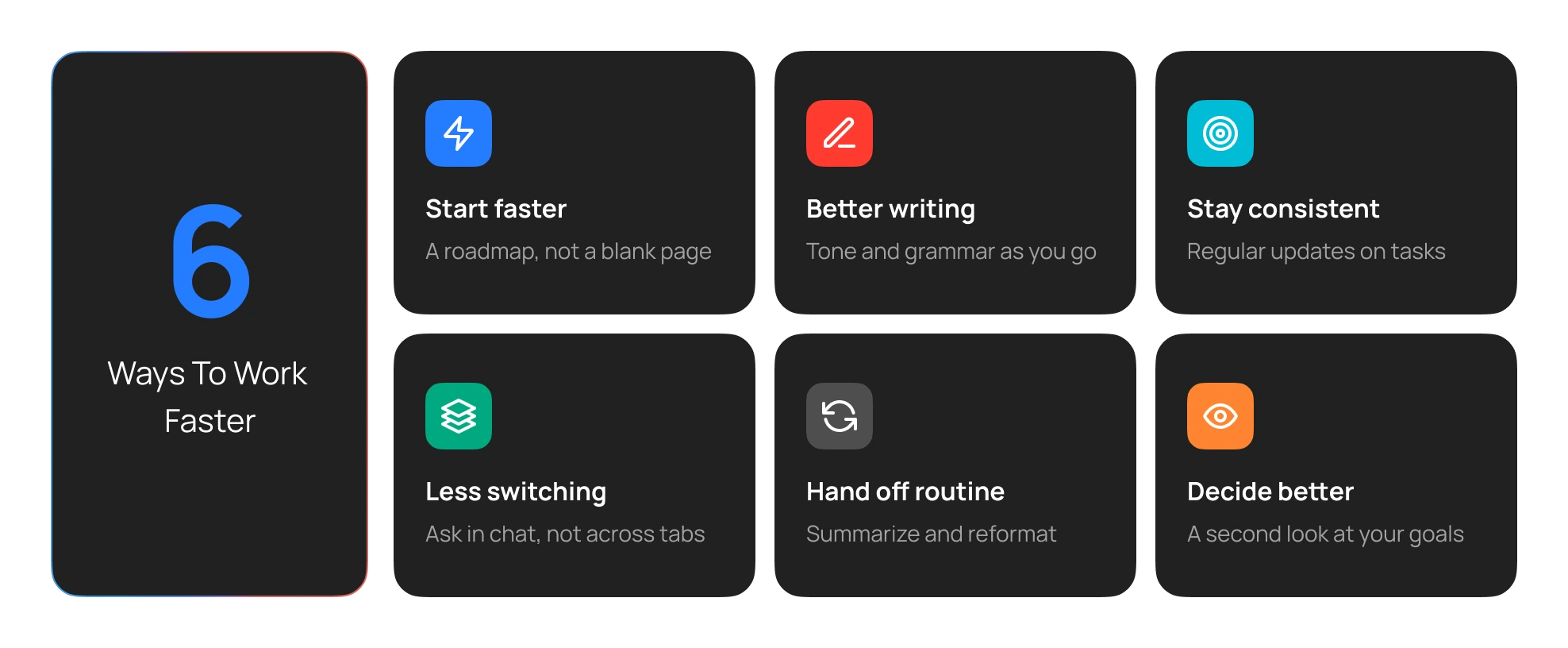
- Creates a foundation for starting anything. Instead of staring blankly, you can add the requirements into the chatbot and ask for a roadmap to begin with.
- Cuts down context switching. Instead of jumping from your document to the browser and searching the tabs for information, simply input the concept in the chatbot and ask for the answers.
- Improve grammar and writing in real-time. Simply focus on writing, and use the chatbot for evaluating the context, voice, and grammar as well as the tone that will help meet the right audience.
- Forget about handling repetitive tasks. Share routine work with the AI chatbot in your Mac and let it handle repetitive tasks such as summarizing, reformatting, etc.
- Ensure consistency. You can set the chatbot to regularly update you on the tasks that you’ve assigned to it, ensuring consistency for all projects.
- Make informed decisions. Get a third eye to inspect your work according to the set goals, and get real-time insights to ensure the goal is met.
In other words, an AI chatbot can help you boost productivity, minimize errors, provide real-time improvements, and help you accomplish tasks according to your set goal.
Choosing an AI Chatbot for Mac
Not every chatbot suits every user. Consider these factors before settling on one.
Quality of Responses
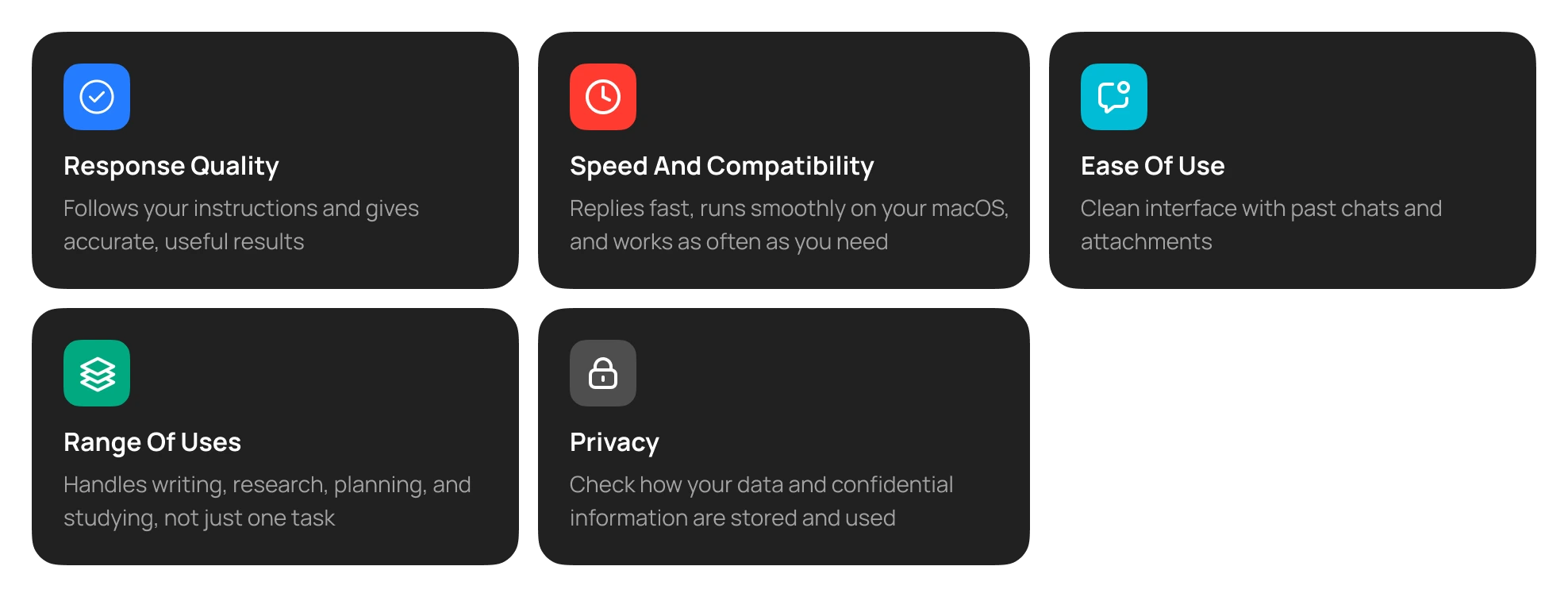
Ensure that you check the quality of the responses. The quality should reflect accuracy in terms of following the instructions and the results as required. If the chatbot doesn’t reflect accuracy, it’s not an ideal choice.
Compatibility and Speed
While accuracy is important, the chatbot should also produce results quickly. It should not take long to register your input and produce the results. If it’s meant to boost productivity, it should be able to produce responses quickly, and as many times a day as needed.
Ease of Use
The point of a chatbot is to improve the workflow, not complicate it. Hence, it should have a user-friendly interface that can reference previous chats, allow attachments, and can fetch information (with the user’s access) whenever prompted.
Range of Uses
The AI chatbot you’re using should have ample uses. It can easily be deployed for tasks such as writing, research, planning, studying, etc., as required, and not narrow down to a couple of ones.
Privacy
An important part of using a chatbot is that you’ll have to allow it to access your device completely. However, this doesn’t mean sharing your information on any platforms. For that, review the chatbot’s privacy information regarding confidential information before choosing.
Pricing
Lastly, ensure that the chatbot you’re considering does not burden your pocket. Look at the plan’s cost, and compare options to find the one that fits your budget and requirements.
Using GemX as an AI Chatbot on Mac
If you’re considering an AI chatbot for Mac, then GemX is one of the recommended options to consider. It offers flexible features, including writing, brainstorming, and research. It’s designed to accompany the user with reasonable output according to the requirements.
Moreover, you can use it to automate your repetitive tasks and improve workflow productivity. Use GemX AI Chatbot to draft an email or summarize a document to test its potential. Explore its privacy policy and look at the plans to find the perfect fit for your needs.
Final Thoughts
An AI chatbot for Mac works best as a practical everyday helper. However, the goal isn't to replace your thinking but to clear away the friction around it. Start with one or two routine tasks, such as email replies or note cleanup, and see how much time you save. Whether you choose GemX or another tool, the right AI chat app will feel like a natural part of your Mac workflow.